

Top 10 Tools for Streamlining Your Business Email Management
In the fast-paced world of business, a cluttered inbox can feel like an unending maze. Taming that chaos requires the right toolkit. Here are ten standout tools that can help you streamline your email management and reclaim precious hours in your workday. 1. **Slack**: Transition conversations from email to this messaging platform for quicker responses and less clutter. 2. **Trello**: Integrate emails into project boards to visualize tasks and keep everything organized at a glance. 3. **Boomerang**: Schedule emails for later or set reminders so important messages don’t slip through the cracks. 4. **SaneBox**: Automatically sort incoming emails based on importance, letting you focus only on what truly matters. 5. **Gmail Filters & Labels**: Use these native features to categorize and prioritize your messages effortlessly. 6. **MailChimp**: Perfect for managing newsletters while keeping marketing efforts distinct from day-to-day communication. 7. **Evernote**: Clip important emails directly into notes for long-term storage without overwhelming your inbox. 8. **Focus@Will**: While not strictly an email tool, it enhances concentration as you tackle those lengthy threads by minimizing distractions with curated music playlists. As we dive deeper…
Book NowMastering Inbox Zero: The Best Email Organization Tools for Professionals
Mastering Inbox Zero is more than just a trendy buzzword; it’s a transformative approach to email management that can significantly boost your productivity. To get there, having the right tools at your fingertips makes all the difference. Consider **Spark**, an intelligent email client that prioritizes important messages and allows for easy collaboration with team members through shared drafts and comments. For those who thrive on visual organization, **Trello** or **Asana** can be integrated with your email to convert messages into actionable tasks—helping you maintain focus without getting overwhelmed. If automation is your secret weapon, look no further than **Zapier**, which connects various apps to create workflows that save time and reduce clutter. And don’t overlook labels! Tools like **Gmail’s advanced filters** let you categorize emails automatically based on keywords, making it easier to locate critical communications when you need them most. Lastly, consider using an all-in-one solution like **Front**, which combines team communication with customer emails in one streamlined interface. This ensures everyone stays aligned while keeping personal inboxes tidy—a win-win for any professional looking to achieve Inbox Zero efficiently.


From Chaos to Clarity: Essential Tools for Managing Business Emails Effectively
In the fast-paced world of business, where every email can lead to a new opportunity or challenge, achieving clarity amid chaos is crucial. Enter a suite of essential tools designed to transform your inbox from a cluttered mess into an organized powerhouse. First on our list is **email filtering software**, allowing you to automatically sort incoming messages based on criteria such as sender, subject line, or keywords. With smart filters set up, urgent client requests land in one folder while newsletters and promotions are neatly tucked away for later reading. Next up is **task management integrations** that sync with your email platform. These tools enable you to convert emails into actionable tasks with deadlines and priorities directly from your inbox—no more losing track of important follow-ups! Don’t overlook the power of **scheduling assistants**; these can streamline meeting arrangements by letting recipients pick available slots without endless back-and-forth emails. Lastly, consider employing **email templates** for routine communication. Tailoring responses becomes quicker and easier when you’re equipped with pre-drafted replies that maintain professionalism while saving precious time. As we dive deeper into the specific functions each tool offers…
The Ultimate Guide to Email Organization: Must-Have Tools for Every Business
When it comes to email organization, the right tools can transform your inbox from a chaotic mess into a streamlined hub of productivity. Start with **email management software** like Clean Email or SaneBox, which automatically categorize and prioritize incoming messages, allowing you to focus on what truly matters. For teams, collaboration tools such as Slack and Microsoft Teams can significantly reduce email volume by facilitating real-time communication. Integrating **project management platforms** like Trello or Asana helps link emails directly to tasks, ensuring nothing slips through the cracks while keeping relevant discussions in one place. Don’t overlook the power of **tags and labels**; tools like Gmail allow for custom categorization that can make searching effortless. For those who seek more visual aid, consider using an **inbox zero app**, such as Mailbutler or Spark. These apps not only help maintain order but also provide reminders for follow-up emails—a crucial feature in avoiding missed opportunities! With these must-have tools at your disposal, watch how efficiently you handle business communications shift gears towards success…
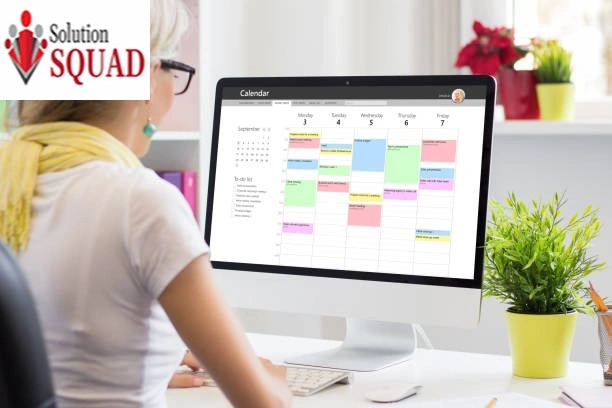

Boost Your Productivity: The Best Software Solutions for Organizing Business Emails
In the fast-paced world of business, email can quickly become overwhelming. Fortunately, several software solutions are designed to streamline your inbox and enhance productivity. Tools like **Spark** offer smart sorting features that prioritize important emails while grouping less urgent ones, allowing you to focus on what truly matters. For teams collaborating on projects via email, **Front** provides a shared inbox experience that fosters communication without the chaos—think comments on threads and @mentions for quick awareness. If automation is your game-changer, consider using **Zapier** or **IFTTT**, which allow you to create workflows that automatically sort incoming messages based on specific criteria or even integrate with other apps for seamless task management. Want a visually appealing layout? **Clean Email** not only organizes but also visualizes your email statistics so you can see how effectively you’re managing correspondence over time. For those who crave simplicity with powerful features, try **Missive**, which blends chat and emails into one interface—perfect for reducing back-and-forth clutter while keeping everything organized at your fingertips. With these tools in hand, you’ll find yourself navigating the digital noise more efficiently than ever before…
Email Overload? Discover the Best Tools to Manage and Organize Your Inbox
In today’s fast-paced digital landscape, the relentless flow of emails can feel overwhelming—like trying to sip water from a fire hose. But fear not! A treasure trove of tools awaits to help you reclaim your inbox sanity. First up is **Clean Email**, an intuitive platform that uses smart algorithms to declutter your inbox by grouping similar messages, allowing for easy bulk actions. You can tackle newsletters and promotional spam with just a few clicks, leaving only what truly matters. For those who thrive on organization, **Spark** offers a unique blend of collaborative features and intelligent email prioritization. With its shared drafts and comments, it transforms how teams communicate while keeping distractions at bay. If you’re looking for automation magic, consider **SaneBox**. This tool intelligently sorts your incoming mail into different folders based on importance—letting you focus on high-priority items without getting lost in the noise. And let’s not forget about **Trello**, which integrates seamlessly with Gmail for project management right from your inbox. Convert emails into actionable tasks and keep everything streamlined in one place. As we dive deeper into these solutions…

FAQ
Conclusion
Organizing and managing business emails is crucial for staying productive and efficient in today’s fast-paced work environment. By utilizing the best tools available, such as email filters, folders, and scheduling features, you can easily streamline your inbox and handle emails with ease. Remember to regularly declutter your inbox and prioritize important messages to stay on top of your workload. With these tips in mind, you’ll be able to conquer your overflowing inbox and improve your overall productivity. So why not give these tools a try? Your organized inbox awaits!